1. 스프링 MVC 기본 구조
▷ MVC는 스프링의 서브 프로젝트
▷ 스프링은 하나의 기능을 위해서만 만들어진 프레임워크가 아니라 '코어'라고 할 수 있는 프레임워크에서
여러 서브 프로젝트를 결합해서 다양한 상황에 대처할 수 있도록 개발됨
▷ 서브 프로젝트 : 별도의 설정이 존재(servlet-context.xml, root-context.xml로 설정 파일이 분리된 것과 유사)
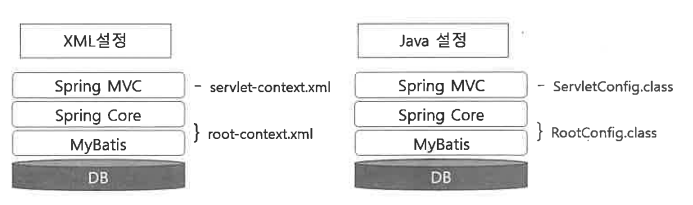
◎ 스프링 MVC 프로젝트의 내부 구조
▷ 내부적으로 root-context.xml로 사용하는 일반 Java 영역과 servlet-context.xml로 설정하는 Web 관련 영역을 연동해서 구동
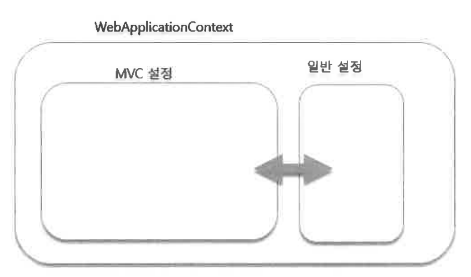
▷ 바깥쪽의 WebApplicationContext는 기존 구조에 MVC 설정을 포함하는 구조
▷ 스프링은 웹 애플리케이션의 목적으로 나온 프레임워크가 아니므로 달라지는 영역에 대해 완전히 분리하고 연동
▷ Spring Legacy Project를 이용해 ex01 프로젝트 생성
▷ 패키지명 : org.codehows.controller
◎ pom.xml 수정 및 내용 추가
<?xml version="1.0" encoding="UTF-8"?>
...(생략)...
<!-- 수정 -->
	<properties>
		<java-version>11</java-version>
		<org.springframework-version>5.0.7.RELEASE</org.springframework-version>
		<org.aspectj-version>1.6.10</org.aspectj-version>
		<org.slf4j-version>1.6.6</org.slf4j-version>
	</properties>
	<dependencies>
		...(생략)...
		<dependency>
			<groupId>org.springframework</groupId>
			<artifactId>spring-webmvc</artifactId>
			<version>${org.springframework-version}</version>
		</dependency>

        <!-- 추가 -->
		<dependency>
			<groupId>org.springframework</groupId>
			<artifactId>spring-test</artifactId>
			<version>${org.springframework-version}</version>
		</dependency>
		<dependency>
			<groupId>org.projectlombok</groupId>
			<artifactId>lombok</artifactId>
			<version>1.18.0</version>
			<scope>provided</scope>
		</dependency>
...(생략)...

		<!-- Servlet -->
		<!-- <dependency>
			<groupId>javax.servlet</groupId>
			<artifactId>servlet-api</artifactId>
			<version>2.5</version>
			<scope>provided</scope>
		</dependency>   -->

		<dependency>
			<groupId>javax.servlet</groupId>
			<artifactId>javax.servlet-api</artifactId>
			<version>3.1.0</version>
			<scope>provided</scope>
		</dependency>

...(생략)...

            <plugin>
                <groupId>org.apache.maven.plugins</groupId>
                <artifactId>maven-compiler-plugin</artifactId>
                <version>2.5.1</version>
                <configuration>
                    <source>1.8</source> <!-- 수정 -->
                    <target>1.8</target> <!-- 수정 -->
                    <compilerArgument>-Xlint:all</compilerArgument>
                    <showWarnings>true</showWarnings>
                    <showDeprecation>true</showDeprecation>
                </configuration>
            </plugin>

...(생략)...
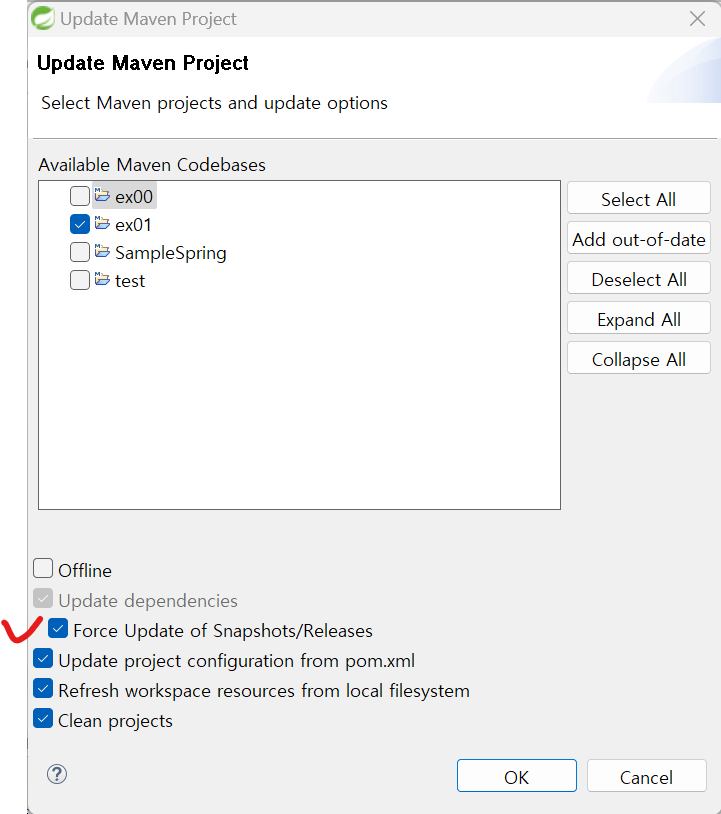
모든 설정 마친 후 ex01 우클릭 → Maven → Update Project → Force Update of Snapshots/Releases 선택 후 OK
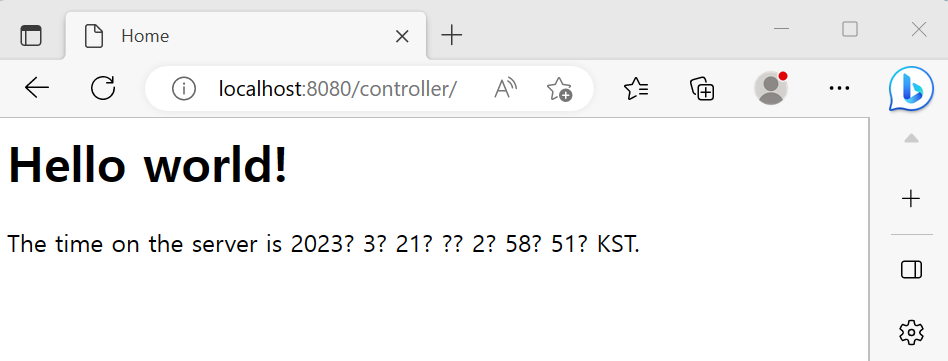
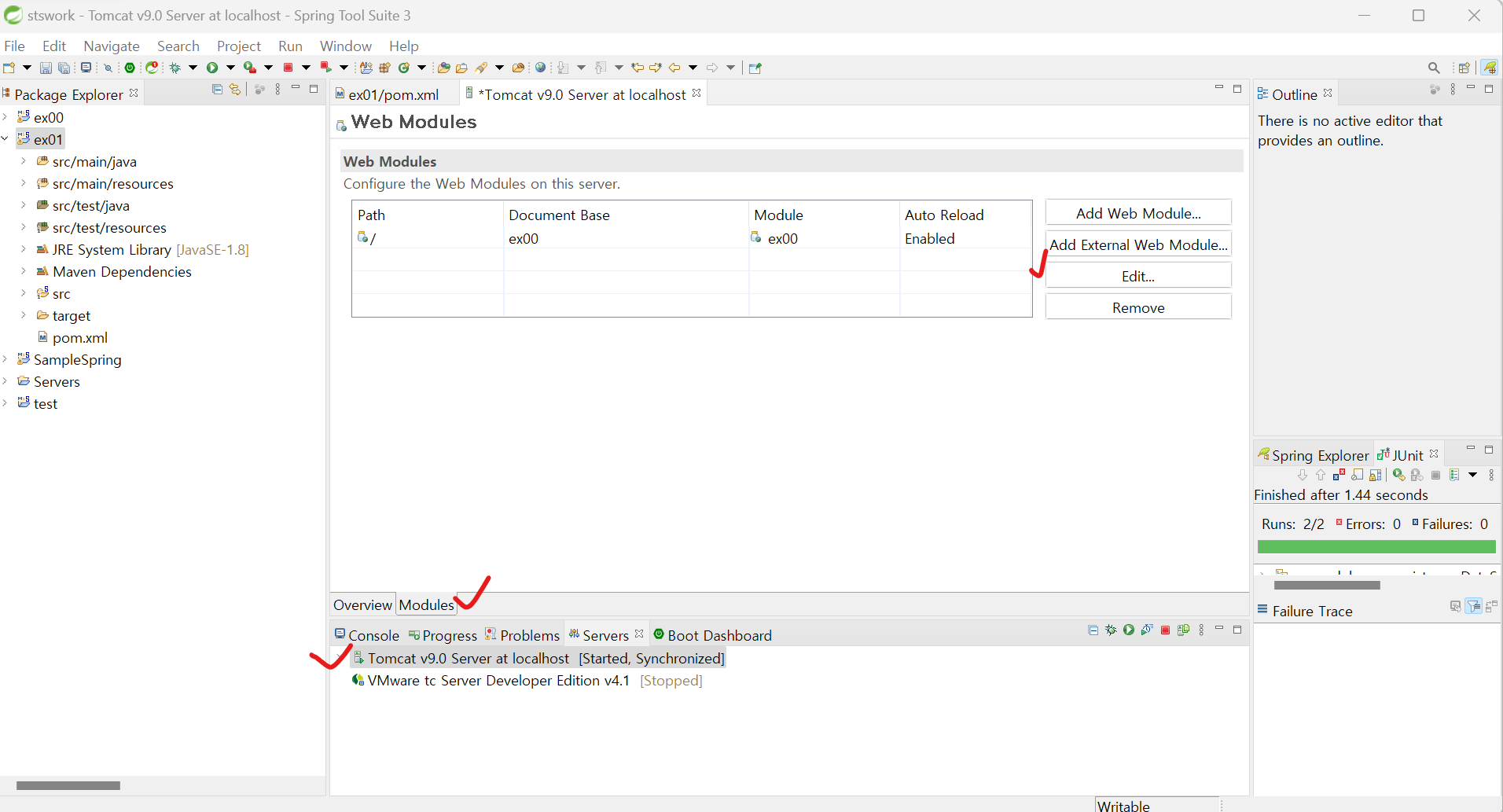
http://localhost:8080/controller/
위와 같이 설정을 변경하면 controller를 적지 않아도 '/' 경로가 인식됩니다.
→ http://localhost:8080/
MVC에 관해서 책에는 뒷 내용이 더 나와있지만 내용이 이해가 되지 않는 부분이 많아서 다시 한 번 읽어본 후 따로 정리하도록 하겠습니다!
많은 분들의 피드백은 언제나 환영합니다! 많은 댓글 부탁드려요~~

'BackEnd > Spring' 카테고리의 다른 글
| [코드로 배우는 스프링 웹 프로젝트] ch06 스프링 MVC Controller 2 (0) | 2023.03.27 |
|---|---|
| [코드로 배우는 스프링 웹 프로젝트] ch06 스프링 MVC Controller 1 (0) | 2023.03.26 |
| [코드로 배우는 스프링 웹 프로젝트] ch04 MyBatis와 스프링 연동 2( log4jdbc-log4j2) (0) | 2023.03.26 |
| [코드로 배우는 스프링 웹 프로젝트] ch04 MyBatis와 스프링 연동 1 (0) | 2023.03.26 |
| [코드로 배우는 스프링 웹 프로젝트] ch03 스프링과 오라클 DB 연동(히카리 사용) (0) | 2023.03.26 |


